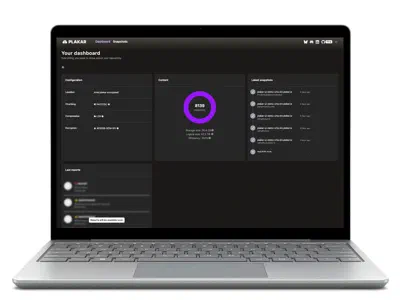

Overview
What the PostgreSQL integration does
The PostgreSQL integration backs up any PostgreSQL server reachable over the
network into encrypted Plakar snapshots, whether you run it yourself or use a
managed service from a cloud provider. It takes logical dumps with pg_dump or
a physical copy of the cluster with pg_basebackup, and restores a whole
server, one database, or dump files you load with pg_restore. Plakar runs on
any machine that has the PostgreSQL client tools, with the free, open-source CLI
or with Plakar Control Plane.
Three protocols cover the common setups. postgres:// works with any server,
self-hosted or managed: it runs pg_dumpall --globals-only for roles and
tablespaces, then one pg_dump per database. postgres+bin:// streams a
physical base backup of the whole cluster with pg_basebackup.
postgres+aws:// is a variant of postgres:// for RDS and Aurora that
authenticates with an IAM token instead of a stored password.
Every snapshot also holds a manifest.json with the server settings, roles, and
for each relation its columns, indexes, row estimate and last vacuum. A logical
snapshot restores to a running server through the destination connector, either
whole or one database at a time with databases=myapp. For a single table,
restore the .dump file to disk and run pg_restore -t. A physical snapshot
restores to disk as a data directory that starts with the same major version.
$ plakar pkg add postgresql
$ plakar source add prod postgres://backup@db.internal/
$ plakar at /var/backups backup "@prod"
a7e03b51: OK ✓ /manifest.json
a7e03b51: OK ✓ /00000-globals.sql
a7e03b51: OK ✓ /00001-app.dump
a7e03b51: OK ✓ /00002-billing.dump
a7e03b51: OK ✓ /00003-analytics.dump
a7e03b51: OK ✓ /
a7e03b51: backup completed without errors in 4m12.381s
$ plakar at /var/backups ls
2026-11-13T02:00:04Z   9c1f20e4    38 GiB      4m3s /
2026-11-14T02:00:05Z   a7e03b51    38 GiB     4m12s /
$
Why Plakar
Why use Plakar for PostgreSQL backup
Nothing to install on the PostgreSQL server
Plakar connects like any PostgreSQL client, over the normal protocol for dumps and over the replication protocol for base backups. It runs from a backup host, a container or an edge. The database host keeps its packages and its change process.
No staging disk for PostgreSQL dumps
Dumps stream from pg_dump and pg_basebackup straight into the snapshot. The
backup host writes no temporary copy, so a 2 TB database needs no 2 TB scratch
volume and no /tmp that fills up during the night.
Standard PostgreSQL formats
A logical snapshot holds ordinary pg_dump custom-format archives and a SQL
file of globals. A physical snapshot holds a plain data directory. Any DBA reads
them with the PostgreSQL tools they already use.
Restore PostgreSQL to any server
A logical snapshot restores into another server, another cloud, a laptop or a newer major version. The target needs PostgreSQL and network access, whatever its operating system or hosting.
Recovery scenarios
PostgreSQL backup and recovery scenarios
A coding agent drops the PostgreSQL orders table
An agent working on a schema cleanup has the production DATABASE_URL in its
environment and runs DROP TABLE orders CASCADE. Every PostgreSQL standby
replays the drop from the WAL. Take a plakar backup before the session starts,
with a read-only role where the task allows it, and keep the store and its
passphrase out of the agent’s environment. After the session, compare the two
snapshots with plakar diff -recursive. Load the earlier snapshot into an empty
myapp_restore database with no_globals=true, and recreate orders in
production with pg_dump -t orders myapp_restore piped into psql. Every other
table keeps the agent’s changes.
A PostgreSQL DELETE without WHERE found the next morning
The WAL archive was never set up and the replicas hold the same empty table.
Restore last night’s snapshot to disk with
plakar restore -to /tmp/pg <snapshot>, then load only the affected table into
a scratch database with pg_restore -t invoices and copy the rows back.
Silent PostgreSQL corruption noticed weeks later
A faulty extension or a storage fault damages PostgreSQL data, and every recent
backup carries the damage. By default the integration runs pg_dump without
compression, and Plakar deduplicates and compresses the archives, keeping only
what changed between two daily dumps, so several months of history cost a
fraction of their full size. Compare the manifest.json of two snapshots with
plakar diff to see when row estimates changed, then restore the last good one.
Leaving a managed PostgreSQL service or upgrading a major version
The automated backups of a managed PostgreSQL service stay in the provider’s
account and restore to that provider. A Plakar snapshot holds standard pg_dump
files in a store you choose, so a database backed up from one cloud provider
restores on another, or on a self-hosted server. A dump taken on PostgreSQL 15
restores on 16. Set no_owner=true when the roles on the target differ.
Rebuilding a lost PostgreSQL primary
When the data directory is gone, a postgres+bin:// snapshot restores to disk
as a complete PGDATA: every database, the configuration files kept in the data
directory, and the WAL needed to start. Start it with pg_ctl -D on a server
running the same major version.
Three connectors
PostgreSQL backup methods: postgres://, postgres+aws:// and postgres+bin://
Logical PostgreSQL backup with pg_dump
One custom-format dump per database plus the cluster globals, for the whole
cluster or the databases you pick. Leave out tables or their rows with
exclude_tables and exclude_table_data.
plakar source add mypg \
  postgres://postgres@db.example.com \
password=secretLogical backup with IAM authentication
The same logical backup for RDS and Aurora. Plakar generates a fresh token from
the standard AWS credential sources before each pg_dump, so a long backup of
many databases always runs with valid credentials.
plakar source add myrds \
  postgres+aws://backup@mydb.example.com \
region=eu-west-3Physical PostgreSQL backup with pg_basebackup
The data directory streamed over the replication protocol, consistent under load, each file stored as its own record with its path, permissions and timestamps. Unchanged files deduplicate across snapshots, and enabled data checksums are verified on every page read.
plakar source add mypgdata \
  postgres+bin://replicator@db.example.com \
  password=secret
Logical or physical
pg_dump vs pg_basebackup: which PostgreSQL backup to choose
Logical, postgres:// |
Physical, postgres+bin:// |
|
|---|---|---|
| PostgreSQL tool | pg_dump, pg_dumpall |
pg_basebackup |
| Scope | Whole cluster or chosen databases | Whole cluster |
| Restore target | Any server, newer major versions included | A data directory on the same major version |
| Restore granularity | A server, one database, or one table with pg_restore -t |
The whole cluster, ready to start |
| Restore speed | Data reloaded and indexes rebuilt | File copy, fast at any size |
| Managed services | Any service that gives you a PostgreSQL user | Self-hosted clusters with replication access |
| Running database | Stays online | Stays online |
Many teams run both: physical snapshots for fast recovery of a large self-hosted cluster, logical snapshots for migrations, upgrades and selective restores.
Built on PostgreSQL practice
PostgreSQL backup best practices built in
The backup chapters of PostgreSQL administration references give the same advice, and the integration follows it by default.
One archive per database, globals apart.
Roles and tablespaces go to 00000-globals.sql, each database to its own
pg_restore archive, so restores can be selective and parallel.
The base backup and its WAL together.
The integration runs pg_basebackup -X fetch, so a restored data directory
starts without searching for archive files.
The backup away from the database server.
Put the store on another disk, an S3-compatible bucket or
an SFTP host, in another account or site, and keep a
second copy with
plakar sync.
Validated backups.
plakar check
verifies every snapshot without restoring it, and enabled data checksums make
pg_basebackup catch a corrupted block at backup time.
A logical copy from a physical one.
Restore a physical snapshot to a scratch directory, start it in a container of
the same major version, and pg_dump the table or database you need.
Inside a snapshot
What a PostgreSQL backup snapshot contains
A logical snapshot is a browsable tree of standard files, readable with the PostgreSQL tools you already use.
manifest.json is written first. It records the server version and the
version of the client tool that made the dump, the cluster identifier, whether
the backup came from a hot standby (in_recovery), key settings such as
wal_level and data_checksums, the roles and tablespaces, and for each
database its extensions, schemas and relations with their columns, constraints,
indexes and row estimates. For archive_command, the manifest records only
whether one is set, so credentials in the command stay out of the backup.
00000-globals.sql holds the roles and tablespaces, replayed with psql
before the databases.
NNNNN-<db>.dump is one pg_restore custom-format archive per database,
restored in parallel or one at a time.
Read the manifest with plakar cat before restoring anything.
a7e03b51:/
├── manifest.json
├── 00000-globals.sql      # roles, tablespaces
├── 00001-app.dump         # pg_restore custom format
├── 00002-billing.dump
└── 00003-analytics.dump{
"version": 2,
"connector": "postgresql",
"server_version": "16.4",
"server_version_num": 160004,
"in_recovery": false,
"dump_format": "custom",
"cluster_config": {
"wal_level": "replica",
"data_checksums": true,
"archive_command_set": true
},
"roles": [{ "name": "app", "superuser": false, "can_login": true }],
"databases": [{ "name": "app", "owner": "app", "encoding": "UTF8" }]
}Under the hood
How Plakar backs up large PostgreSQL databases
Complete dumps only
When pg_dump exits with an error, the backup fails, and a cut-short file is
never kept as a finished dump.
Restricted superusers handled
On managed services where the administrator cannot read role passwords, the
integration detects it, passes --no-role-passwords and logs a warning, and the
backup carries on.
Tables you don’t need left out
Audit logs, caches or session tables can be skipped entirely, or kept as empty
tables with their definition, with pg_dump patterns applied to every database.
Raw dumps for deduplication
Plakar compresses and deduplicates the raw data, so a daily dump of a 100 GB database adds only what changed.
Parallel, per-table dumps
With format=directory, pg_dump runs four parallel jobs per database and
writes one file per table, streamed into the snapshot.
Backups from a standby
Point the source at a hot standby to keep the load off the primary. The manifest records that the snapshot came from a standby.
Beyond cron and pg_dump
pg_dump to S3 and beyond: what Plakar adds to a cron job
A cron job that writes dump.sql.gz to a disk works until the day you need it.
Plakar keeps the same PostgreSQL tools and adds:
History at low cost
Content-addressed chunks store unchanged data once across every snapshot, so long retention stays affordable.
Any store
A local disk, an S3-compatible bucket or an SFTP host, with plakar sync to
keep a copy in a second place.
Inspection without restore
Open any snapshot in place to list, read or compare its files.
One tool for all your data
The same CLI and the same store protect file servers, object storage and other databases next to PostgreSQL, such as MySQL and MariaDB or MongoDB.
Comparison
PostgreSQL backup tools compared: Plakar, backup suites and open-source tools
Three other approaches cover PostgreSQL today: enterprise backup suites, general
open-source backup tools fed by a pg_dump script, and a plain pg_dump cron
job. Plakar keeps the PostgreSQL tools of the last two and the management of the
first, without their agents or their scripts.
| Plakar | Enterprise backup suites | Open-source backup tools with a pg_dump script |
A pg_dump cron job |
|
|---|---|---|---|---|
| Native PostgreSQL integration | Yespg_dump, pg_dumpall, pg_basebackup and a manifest |
YesA PostgreSQL plugin or agent | NoYour script pipes pg_dump into the tool |
NoYour script |
| Nothing to install on the database server | YesPlakar connects as a PostgreSQL client | NoUsually an agent or plugin on each host | PartlyDepends on where your script runs | PartlyDepends on where your script runs |
| No staging disk on the backup host | YesDumps stream into the snapshot | PartlyOften a staging area sized to the dumps | YesWhen the dump is piped | NoA full copy of every dump |
| Encrypted, deduplicated history | YesVerified with plakar check |
PartlyDepends on the product | Yes | No |
| Restore one database or one table | YesFrom standard pg_restore archives |
PartlyThrough the suite and its agent | PartlyIf your script keeps custom-format dumps | PartlyIf your script keeps custom-format dumps |
| Physical backups in the same store | Yespg_basebackup streamed into the snapshot |
PartlyDepends on the product | NoA second script | NoA second script |
| Fleet management | YesPlakar Control Plane, with a free plan | YesA central console | NoYour own tooling | NoYour own tooling |
| Free and open source | Yes | NoCommercial licence | Yes | Yes |
Managed PostgreSQL
Managed PostgreSQL backup beyond provider snapshots
Keep your provider’s automated backups for fast rollback on the same platform, and add Plakar for copies you hold yourself.
| Provider backup | Plakar snapshot | |
|---|---|---|
| What you restore | A new instance on the same platform | A server, one database, or one table with pg_restore -t |
| How long it is kept | The retention of your plan | The retention your policy sets, deduplicated |
| Where the copy lives | The provider account it protects | A store you choose, in another account, cloud or site |
| What you get | A restore inside the platform | Standard pg_dump archives you can open anywhere |
| Major-version upgrade or migration | Within the same platform | Restore into any server, newer major versions included |
Compatibility
Supported PostgreSQL versions
The integration supports PostgreSQL 13, 14, 15, 16, 17 and 18. It drives your
own client binaries, so use pg_dump and pg_basebackup at least as recent as
the newest server you back up. The manifest records which version made each
snapshot.
Community or Control Plane
Free, open-source CLI or Plakar Control Plane
Both editions run the same PostgreSQL integration on the same storage engine.
Free, open-source Plakar CLI
For a few servers run with cron, scripts or CI. It provides the three protocols,
deduplication, plakar check, plakar mount, plakar diff and plakar sync,
with stores on a local disk, an S3-compatible bucket or an SFTP host.
Plakar Control Plane
For many databases and teams: inventories that discover databases, tasks on edges next to the servers, policies that schedule every matching database, credentials resolved at run time from external secret managers such as HashiCorp Vault, and one view of what is protected and when the last job ran. It runs in your cloud account or on your own virtual machines, and backup data stays in your environment.
Quickstart
How to back up PostgreSQL with the open-source Plakar CLI
The Plakar CLI is free and open source. Install the integration, create a store, declare the database as a source and a restore target as a destination, then run backups from cron or a CI job.
Create myapp_restore before the restore. The
PostgreSQL CLI documentation
covers every option, IAM authentication on RDS and the physical restore.
$ plakar pkg add postgresql
$ plakar at /var/backups create

$ plakar source add mypg postgres://postgres:secret@db.example.com/myapp \
    exclude_table_data=public.audit_log
$ plakar at /var/backups backup "@mypg"
$ plakar at /var/backups check

$ plakar destination add pgside \
    postgres://postgres:secret@db.example.com/myapp_restore no_globals=true
$ plakar at /var/backups restore -to "@pgside" <snapshot_id>
Control Plane
PostgreSQL backups across a fleet with Plakar Control Plane
With dozens of databases spread over several clouds, Plakar Control Plane replaces per-host CLI configuration. Managed inventories discover the managed PostgreSQL databases of each cloud account you connect. Self-hosted servers are added to a self-managed inventory. Backups run on an edge installed close to the databases, with the PostgreSQL client tools.
Restores use a destination with the same options as the CLI: clean,
recreate, databases= and no_owner.
See how Plakar Control Plane works, read the Control Plane PostgreSQL documentation, or contact us to plan a deployment.
Prepare a PostgreSQL edge. Install the PostgreSQL client tools on an edge
host, or build the edge container from the official postgres image.
Add the servers to an inventory. Let a managed inventory discover the databases of a cloud account, or register self-hosted servers as Database resources.
Attach a source. Pick postgres, postgres+aws or postgres+bin and point
the credentials at your secret manager.
Let a policy schedule it. Policies set how many backups each database needs per period, how long they are kept and which store receives them. Every database whose environment and data class match is scheduled automatically, so a database created next week is covered as soon as it is discovered.
Restore checklist
How to restore a PostgreSQL backup: checklist
Confirm the snapshot. Read its manifest.json to check the server version,
the databases and the roles.
Take a snapshot before restoring onto a live server. Deduplication makes it quick, and it gives you a way back.
Match the versions. A physical snapshot starts on the same CPU architecture and PostgreSQL major version. For a logical restore, use client tools from the target version.
Tune large logical restores. Raise maintenance_work_mem for index builds,
and size parallel jobs to the memory available.
Run ANALYZE afterwards. A freshly restored database has no planner
statistics until it runs.
Review a restored physical cluster before opening it. Check the archiving settings so the copy writes its WAL to its own archive.
FAQ
PostgreSQL backup FAQ
Is pg_dump enough to back up PostgreSQL?
pg_dump makes a consistent copy of one database. A backup also needs the roles
and tablespaces, a history of copies, an offsite store and a way to check them.
Plakar runs pg_dump and pg_dumpall --globals-only and adds the rest.
Do I still need backups if I have PostgreSQL replication?
Yes. A standby replays every change within seconds, a dropped table or a mass
DELETE included. Replication protects you against losing a server, and a
backup protects you against losing data.
How do Plakar snapshots relate to WAL archiving?
Each Plakar snapshot is a complete restore point on its own, so it works with or without WAL archiving. Keep your WAL archive if you already run one.
How do I automate PostgreSQL backups?
With the open-source CLI, schedule plakar backup from cron, a systemd timer or
a CI job. With Plakar Control Plane, a policy schedules, checks and prunes the
backups of every matching database.
Which user should run the backup?
A superuser, so that pg_dumpall includes role passwords. On managed services,
where the administrator is a restricted superuser, Plakar backs up roles without
their passwords. postgres+bin:// needs a user with the REPLICATION
privilege.
How do I restore one PostgreSQL table?
Restore the snapshot to a local directory, then run pg_restore -t <table> on
the database’s .dump file. With format=directory, mount the snapshot with
plakar mount and run pg_restore -Fd on the database directory.
Does it work with managed PostgreSQL services?
Yes. postgres:// connects to any managed service that accepts a PostgreSQL
user over the network. On RDS and Aurora, postgres+aws:// can also use an IAM
role instead of a password.
Where can I restore a PostgreSQL backup?
A logical snapshot restores to any reachable server, including a newer major
version, and no_owner=true skips ownership when roles differ. A physical
snapshot restores to disk and starts on the same major version.
Which PostgreSQL versions are supported?
PostgreSQL 13 to 18. Use client tools at least as recent as the newest server, and the manifest records which version made each dump.
Can I back up PostgreSQL from a standby?
Yes. Point the source at a hot standby to keep the load off the primary. The
manifest’s in_recovery field records that the snapshot came from a standby.
How much disk space does the backup host need?
Very little. Dumps stream from pg_dump or pg_basebackup directly into the
snapshot, so the backup host never writes a temporary copy of the database.
How does the backup affect a running PostgreSQL database?
Applications keep reading and writing. pg_dump reads a consistent snapshot of
the database, and pg_basebackup streams over the replication protocol.
Can I leave tables out of a PostgreSQL backup?
Yes. exclude_tables skips tables entirely, and exclude_table_data keeps
their definition without their rows, so they are restored empty. Both take
pg_dump patterns such as public.audit,*.log_*.
Should I use the free CLI or Plakar Control Plane?
Start with the free, open-source CLI for a few servers run with scripts. Move to Plakar Control Plane for discovery, policies and one view across many databases and teams. Both run the same integration on the same storage engine.