
Overview
What the MySQL and MariaDB integration does
The MySQL integration backs up MySQL and MariaDB servers, self-hosted or
managed, by running mysqldump or mariadb-dump and storing the SQL output as
an encrypted Plakar snapshot. It restores into any running server, under the
original database name or another one, so a dropped table comes back through a
side database next to production. Plakar runs on any host that reaches the
server and has the matching client tools, with the free, open-source CLI or with
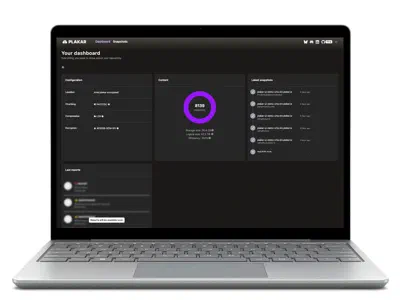
Plakar Control Plane.
Three protocols cover the common setups. mysql:// drives the MySQL client
tools, mysqldump for backup and mysql for restore. mysql+mariadb:// drives
mariadb-dump and mariadb, so a MariaDB server is always dumped by MariaDB’s
own tool. mysql+gcsql:// reaches Google Cloud SQL for MySQL through the Cloud
SQL Go connector, with Application Default Credentials and no Auth Proxy to run.
Each snapshot holds the dump, either one database as <name>.sql or the whole
server as all.sql, and a manifest.json written before the dump starts.
InnoDB tables are read in a single consistent transaction, and the application
keeps writing while the dump runs.
$ plakar pkg add mysql
$ plakar source add shop mysql://backup@db.internal/
$ plakar at /var/backups backup "@shop"
5d2b81c7: OK ✓ /manifest.json
5d2b81c7: OK ✓ /all.sql
5d2b81c7: OK ✓ /
5d2b81c7: backup completed without errors in 6m41.207s
$ plakar at /var/backups ls
2026-11-13T01:30:03Z   3e90fa12    52 GiB     6m37s /
2026-11-14T01:30:04Z   5d2b81c7    52 GiB     6m41s /
$
Why Plakar
Why use Plakar for MySQL and MariaDB backup
No package on the MySQL host
Plakar reaches the server over the MySQL protocol, like any client. It runs on a
backup host, in a container or on an edge, and the database machine keeps its
packages, its my.cnf and its change process.
MySQL dumps streamed with no staging disk
The output of mysqldump flows straight into the snapshot. A 500 GB schema does
not need 500 GB of free space on the backup host, and no dump file waits in
/tmp for a cleanup job.
Plain SQL, readable without Plakar
Every dump is the text file mysqldump writes. Load it with the mysql client,
search it with grep, or pull one table out of it by hand. Nothing proprietary
stands between you and your data.
Restore a MySQL database under any name
A single-database dump carries no USE statement, so it loads into whatever
database the destination names. Bring yesterday’s shop back as shop_restore
on the production server and copy rows across with SQL.
Recovery scenarios
MySQL and MariaDB backup and recovery scenarios
An AI agent drops the MySQL customers table
A coding agent asked to “clean up unused tables” runs its migration against
production and drops customers. Every replica applies the DROP TABLE from
the binary log. With a plakar backup taken before the session, and the store
and passphrase never in the agent’s environment, load the earlier snapshot into
a side database and copy customers back with the steps below. The tables the
agent changed on purpose keep its work, and plakar diff -recursive between the
two snapshots shows what the session touched.
A bad MySQL UPDATE found after the binlog expired
A bulk UPDATE products SET price = ... with the wrong filter ran six weeks
ago. MySQL 8.0 and 8.4 keep binary logs for 30 days by default
(binlog_expire_logs_seconds=2592000), so nothing is left to replay up to the
moment before it. Nightly snapshots cost little after deduplication. Restore the
dump from before the change into a staging database and compare the rows with
production.
A MySQL schema migration fails halfway
MySQL commits each DDL statement on its own, so a migration that stops at its
fourth ALTER TABLE leaves the first three applied and no transaction to roll
back. A snapshot taken by the deploy pipeline just before the migration holds
the schema and data as they were, ready to load into a side database or into a
rebuilt one.
Moving a managed MySQL database to another host
The automated backups of a managed MySQL service restore inside that service. On
Google Cloud SQL, mysql+gcsql:// dumps the instance by its connection name,
such as my-project:europe-west1:orders, and a mysql:// destination loads the
dump into any other MySQL server, self-hosted or at another provider.
Dropped table
How to restore a dropped table in MySQL
MySQL has no undo for DROP TABLE. With a snapshot of the shop database taken
before the drop, the table comes back through a side database on the same
server, and production keeps every write made since.
Find the snapshot from before the drop. plakar ls lists the snapshots with
their dates, and the manifest of the one you pick lists customers among the
tables of shop.
Load it into a side database. A destination with create_db=true creates
shop_restore and loads the dump into it. The dump of a single database holds
no USE statement, so nothing touches shop.
Copy the table back. Recreate customers from its definition in
shop_restore and copy its rows with INSERT ... SELECT.
Drop the side database. Once the application reads the table again, remove
shop_restore.
$ plakar at /var/backups ls
$ plakar at /var/backups cat 8c41d0a9:/manifest.json

$ plakar destination add shopside \
    mysql://root@db.example.com/shop_restore \
    password=secret create_db=true
$ plakar at /var/backups restore -to "@shopside" 8c41d0a9

$ mysql -u root -p -e "
    CREATE TABLE shop.customers LIKE shop_restore.customers;
    INSERT INTO shop.customers SELECT * FROM shop_restore.customers;
    DROP DATABASE shop_restore;"
Three connectors
MySQL backup methods: mysql://, mysql+mariadb:// and mysql+gcsql://
MySQL with mysqldump
Any MySQL server reachable over the network, self-hosted or managed. One
database, or the whole server with --all-databases. Restores go through the
mysql client.
plakar source add shop \
  mysql://backup@db.example.com/shop \
password=secretMariaDB with mariadb-dump
The same backup driven by MariaDB’s own mariadb-dump and mariadb clients.
Point mariadb_bin_dir at the binaries when several client versions live on the
backup host.
plakar source add wiki \
  mysql+mariadb://backup@mariadb.example.com/wiki \
password=secretCloud SQL for MySQL by connection name
Plakar opens the encrypted connection itself through the Cloud SQL Go connector
and authenticates with Application Default Credentials. host holds the
instance connection name.
plakar source add orders \
  mysql+gcsql://backup@localhost/orders \
  host=my-project:europe-west1:orders \
  password=secret
Backup scope
One database or the whole server: which MySQL backup to choose
One database, /<name>.sql |
Whole server, /all.sql |
|
|---|---|---|
| Source URL | mysql://backup@db.example.com/shop |
mysql://backup@db.example.com/ |
| What the dump holds | Tables, views, routines, triggers and events of shop |
Every database, the mysql system database included |
| Accounts and grants | Stay on the target server as they are | Restored with the mysql system database |
| Restore target | Any database name, created with create_db=true |
A server, every database under its original name |
| Typical use | Application databases, side-database restores | Rebuilding a server, moving a whole instance |
| Privileges for backup | SELECT, SHOW VIEW, TRIGGER, EVENT, PROCESS |
Plus LOCK TABLES and RELOAD on *.* |
Teams often run both: one source per application database for fast, targeted restores, and a nightly whole-server source that captures accounts and grants.
Built on MySQL practice
MySQL and MariaDB backup best practices built in
The integration ships with the settings MySQL administrators add to mysqldump
by hand.
A consistent InnoDB dump without stopping writes.
single_transaction=true is the default, so InnoDB tables are read from one
consistent snapshot while the application keeps writing.
Stored procedures, functions and events in the dump.
mysqldump leaves out routines and events unless asked. The integration passes
--routines and --events, and keeps triggers, by default.
A dump tool that matches the server.
mysql:// and mysql+mariadb:// each call their own binaries, and
mysql_bin_dir or mariadb_bin_dir pins the exact client. The manifest records
which tool and version made each dump.
GTIDs handled on purpose.
set_gtid_purged is passed to mysqldump. Set it to OFF for dumps meant to
load into another server with its own GTID history.
Copies away from the database host.
Put the store on another disk, an S3-compatible bucket or
an SFTP host, in another account or site, and keep a
second copy with
plakar sync.
Backups you have checked.
plakar check
verifies the integrity of every snapshot without restoring it.
Inside a snapshot
What a MySQL or MariaDB backup snapshot contains
A snapshot is a small tree you can browse with plakar ls, and every file in it
opens with the MySQL tools you already run.
manifest.json is written before the dump. It records the server version
and the version of mysqldump or mariadb-dump, whether the server was
read-only (is_read_replica), settings such as gtid_mode, binlog_format,
sql_mode and character_set_server, and for each database its tables with
engine, row estimate, columns, indexes and constraints, plus routines, triggers
and events. Whole-server snapshots also list user accounts with their
authentication plugin, without password hashes. The effective dump options close
the file.
all.sql is the output of mysqldump --all-databases, the mysql system
database included. A single-database source writes <name>.sql instead,
with no USE statement, so it loads under any database name.
5d2b81c7:/
├── manifest.json   # server, databases, tables, accounts
└── all.sql # mysqldump --all-databases{
"version": 1,
"connector": "mysql",
"server_version": "8.4.3",
"mysqldump_version": "mysqldump Ver 8.4.3 for Linux on x86_64",
"is_read_replica": false,
"dump_format": "sql",
"server_config": {
"gtid_mode": "ON",
"binlog_format": "ROW",
"character_set_server": "utf8mb4"
},
"users": [
{ "user": "shop", "host": "%", "auth_plugin": "caching_sha2_password" }
],
"options": {
"single_transaction": true,
"routines": true,
"set_gtid_purged": "OFF"
}
}Under the hood
How Plakar runs mysqldump and mariadb-dump on production servers
Failed mysqldump runs never count as backups
When mysqldump stops with an error, the backup fails and reports the tool’s
own message, so a truncated SQL file never passes for a good one.
MySQL passwords kept out of the process list
The password goes into a temporary option file that the client reads and Plakar
removes when the command exits. It never shows up in ps or in the environment.
MySQL and MariaDB backups from a replica
Point the source at a replica to keep the dump load off the primary. The manifest marks snapshots taken from a read-only server.
TLS connections to MySQL and MariaDB
ssl_mode, ssl_ca, ssl_cert and ssl_key configure the connection, and the
_data variants take the certificates inline.
A MySQL 8 mysqldump against an older server
column_statistics=false lets a MySQL 8 mysqldump dump an older server
without querying a table that server lacks.
Schema-only and data-only MySQL dumps
no_data keeps the definitions without rows, no_create_info keeps the rows
without definitions, and hex_blob writes binary columns in hexadecimal.
Beyond cron and mysqldump
mysqldump to S3 and beyond: what Plakar adds to a cron job
A nightly mysqldump | gzip > /backup/shop.sql.gz covers the first copy. Plakar
keeps mysqldump and adds what that script leaves to you:
Months of MySQL dumps for the price of the changes
Plakar splits each dump into content-addressed chunks, and rows that did not change between two nights are stored once.
MySQL dumps encrypted before they leave the host
Snapshots are encrypted on the backup host, so the bucket or SFTP server holds data it cannot read.
Browse a MySQL snapshot without restoring it
Read a manifest, compare two snapshots or mount one as a directory without restoring anything.
MySQL and the rest of the stack in one store
The same CLI protects the application’s uploads, object storage and other databases next to MySQL, PostgreSQL or MongoDB among them.
Comparison
MySQL backup tools compared: Plakar, backup suites and open-source tools
MySQL and MariaDB backups usually take one of three other forms: an enterprise
backup suite with a database plugin, a general open-source backup tool fed by a
mysqldump script, or a bare mysqldump cron job. Plakar drives the same dump
tools as the last two and brings the scheduling and history of the first, with
nothing added to the database host.
| Plakar | Enterprise backup suites | Open-source backup tools with a mysqldump script |
A mysqldump cron job |
|
|---|---|---|---|---|
| Native MySQL and MariaDB integration | Yesmysqldump, mariadb-dump and a manifest |
YesA database plugin or agent | NoYour script feeds mysqldump output to the tool |
NoYour script |
| No package on the MySQL host | YesPlakar connects as a MySQL client | NoUsually an agent or plugin installed per host | PartlyDepends on the host your script runs on | PartlyDepends on the host your script runs on |
| No staging disk on the backup host | YesThe dump streams into the snapshot | PartlyOften a staging volume as large as the dumps | YesWhen the dump is piped | NoOne full file per dump |
| Encrypted, deduplicated dump history | YesChecked with plakar check |
PartlyDepends on the product | Yes | No |
| Restore one database under another name | YesFrom plain SQL with create_db=true |
PartlyThrough the suite’s console and agent | PartlyIf your script dumps each database to its own file | PartlyIf your script dumps each database to its own file |
| Database password off the command line | YesA temporary option file | PartlyDepends on the product | PartlyDepends on your script | PartlyDepends on your script |
| Fleet-wide scheduling | YesPlakar Control Plane: discovery, policies, edges | YesA central console | NoYour own tooling | NoYour own tooling |
| Free and open source | YesThe CLI | NoCommercial licence | Yes | Yes |
Managed MySQL
Managed MySQL backup beyond provider snapshots
Provider backups give a quick rollback inside the platform. A Plakar snapshot is a copy of the data that you hold.
| Provider backup | Plakar snapshot | |
|---|---|---|
| Unit of restore | A new instance on the same service | A server, one database, or one table through SQL |
| Retention | Set by the service and the plan | Set by your policy, deduplicated |
| Location of the copy | The account that runs the database | A store you pick, in another account, cloud or site |
| Format | Internal to the service | A mysqldump SQL file any MySQL client loads |
| Leaving the service | An export to plan separately | A restore into any MySQL server |
Community or Control Plane
Free, open-source CLI or Plakar Control Plane
The MySQL integration and the storage engine are the same in both editions.
Free, open-source Plakar CLI
For a handful of MySQL or MariaDB servers driven by cron, a systemd timer or a
deploy pipeline. All three protocols, deduplication, plakar check,
plakar diff, plakar mount and plakar sync, with stores on a local disk, an
S3-compatible bucket or an SFTP host.
Plakar Control Plane
For fleets of databases and several teams: inventories that find databases, tasks on edges close to them, policies that schedule every matching database, and one view of what is protected. It runs in your cloud account or on your own virtual machines, and backup data stays in your environment.
Quickstart
How to back up MySQL or MariaDB with the open-source Plakar CLI
The Plakar CLI is free and open source. Install the integration, create a store, add the database as a source and a side database as a destination, then schedule the backup.
The MySQL and MariaDB CLI documentation lists the privileges the backup user needs and every option of the three protocols.
$ plakar pkg add mysql
$ plakar at /var/backups create

$ plakar source add shop mysql://backup@db.example.com/shop \
    password=secret set_gtid_purged=OFF
$ plakar at /var/backups backup "@shop"
$ plakar at /var/backups check

$ plakar destination add shopside \
    mysql://root@db.example.com/shop_restore \
    password=secret create_db=true
$ plakar at /var/backups restore -to "@shopside" <snapshot_id>
Control Plane
MySQL and MariaDB backups across a fleet with Plakar Control Plane
When MySQL runs in several cloud accounts and on your own servers, Plakar Control Plane takes over the scheduling. Managed inventories discover the managed MySQL databases of each cloud account you connect, and self-hosted servers go into a self-managed inventory. Tasks run on an edge that has the MySQL or MariaDB client tools.
See how Plakar Control Plane works, read the Control Plane MySQL documentation, or contact us to plan a deployment.
Prepare a MySQL edge. Install the client tools that match the servers’ major
version, or build the edge container from the official mysql or mariadb
image.
Bring the servers into an inventory. A managed inventory discovers the
databases of a cloud account. Self-hosted servers are registered as resources of
class Database.
Attach a source. Choose mysql, mysql+mariadb or mysql+gcsql, with the
options of the CLI.
Let a policy schedule it. A policy sets the backup frequency, the retention and the target store, and every database that matches it is scheduled automatically.
Restore checklist
How to restore a MySQL or MariaDB backup: checklist
Read the manifest first. plakar cat <snapshot_id>:/manifest.json shows the
server version, the dump tool, gtid_mode and the tables in the dump.
Snapshot the target before loading into it. A backup of the live database takes little space after deduplication and gives you a way back.
Restore next to production. Load the dump into a side database with
create_db=true, then copy back only the rows or tables you need.
Use the client of the dump’s flavor. Restore a mysql:// snapshot with a
mysql:// destination and a MariaDB snapshot with mysql+mariadb://.
Load whole-server dumps into a server of their own. An all.sql holds the
mysql system database, so it rebuilds accounts and grants along with the data.
FAQ
MySQL and MariaDB backup FAQ
Is mysqldump enough to back up MySQL?
mysqldump produces a consistent SQL copy. A backup also needs scheduling,
history, encryption, a second location and a way to check the copies. Plakar
runs mysqldump and provides the rest.
How does Plakar get a consistent MySQL or MariaDB dump?
With single_transaction=true, the default, InnoDB tables are dumped in one
consistent transaction while the server keeps serving writes.
Do I still need backups if I run MySQL or MariaDB replication?
Yes. A replica applies a DROP TABLE or a wrong UPDATE as faithfully as any
other statement. Replication covers the loss of a server, and a snapshot covers
the loss of data.
How do I restore a dropped MySQL table?
Restore the last snapshot into a side database with a destination such as
mysql://root@db/shop_restore create_db=true. Then recreate the table with
CREATE TABLE ... LIKE and copy its rows with INSERT ... SELECT.
Should I back up one database or the whole server?
One database restores under any name, which suits targeted restores. The whole server captures every database plus the user accounts and grants. Many teams schedule both.
How do I back up MariaDB?
Use mysql+mariadb://. It runs mariadb-dump for backups and mariadb for
restores, with the same options as mysql://.
How do I back up MySQL to S3?
Create the Plakar store in an S3-compatible bucket and run the same
plakar backup. The dump is encrypted on the backup host before it reaches the
bucket, and only changed chunks are uploaded each night.
How do I fix “@@GLOBAL.GTID_PURGED cannot be changed” when restoring?
Set set_gtid_purged=OFF on the source, so the dump carries no
SET @@GLOBAL.GTID_PURGED statement and loads into a server with its own GTID
history.
Which mysqldump should the backup host use?
The one from the server’s own distribution. mysql:// calls MySQL’s
mysqldump, mysql+mariadb:// calls mariadb-dump, and mysql_bin_dir points
to a specific installation. The manifest records the binary behind every dump.
Does it work with managed MySQL services?
Yes. mysql:// connects to any managed MySQL that accepts a user over the
network. Google Cloud SQL can also be reached by connection name with
mysql+gcsql://, without running the Auth Proxy.
Which privileges does the backup user need?
For one database, SELECT, SHOW VIEW, TRIGGER and EVENT on it, plus
PROCESS. For the whole server, the same on *.* with LOCK TABLES and
RELOAD. The documentation has the GRANT statements.
How do I check a MySQL backup before restoring it?
Run plakar check to verify the snapshot, then
plakar cat <snapshot_id>:/manifest.json to see the server, the databases and
the tables it holds.
Can I back up MySQL from a replica?
Yes. Point the source at a replica to spare the primary. The manifest field
is_read_replica shows that the snapshot came from a read-only server.
How much disk space does the backup host need?
Almost none for the dump. mysqldump writes to Plakar directly, and only the
store grows.
Should I use the free CLI or Plakar Control Plane?
Start with the free, open-source CLI for a few servers. Move to Plakar Control Plane for discovery, policies and one view across many databases and teams. Both run the same MySQL integration.